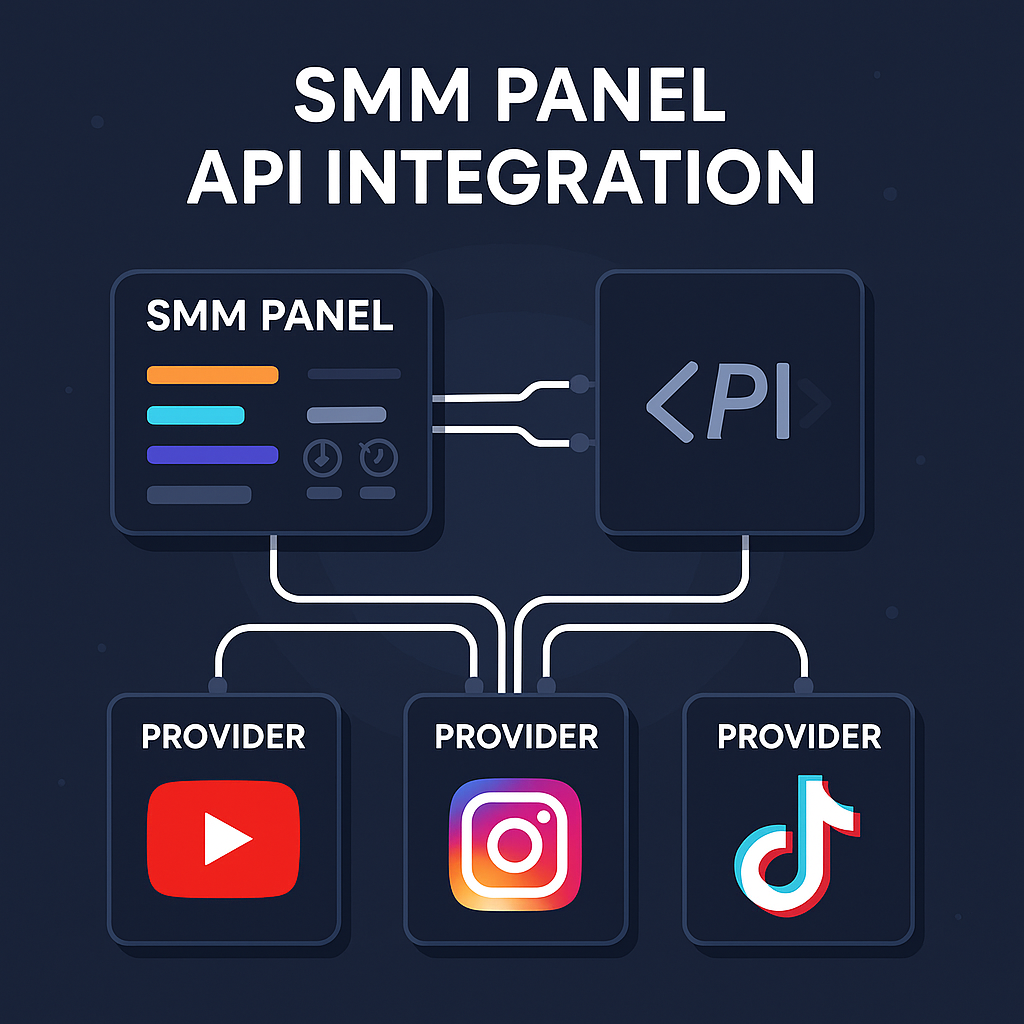
SMM Panel API Integration: A Practical Guide for Resellers
Running an SMM reseller business manually becomes difficult when orders arrive throughout the day.
A customer places an order. You copy the service ID, target link, and quantity into your provider's panel. Later, you check whether the order has started, update the customer, and repeat the process for every new purchase.
This workflow may be manageable for a few orders. At higher volumes, it creates unnecessary work and increases the risk of incorrect quantities, duplicate submissions, and missed status updates.
SMM panel API integration solves much of this problem by connecting your reseller platform directly to an upstream service provider.
But successful API integration involves more than sending orders automatically. A dependable setup must also handle service changes, failed requests, order tracking, account balances, and fulfillment exceptions.
This guide explains how an SMM panel API works, how to connect to a provider using the common API v2 structure, and how to build a workflow that remains manageable as order volume increases.
What Is SMM Panel API Integration?
An SMM panel API is an interface that allows a reseller's software to communicate with an SMM provider's ordering system.
Instead of manually entering every order, the reseller's platform can send structured requests to the provider.
The provider processes those requests and returns information such as order identifiers, service availability, or fulfillment status.
A typical integration involves three systems:
SystemResponsibilityCustomer-facing reseller panelReceives customer orders, handles pricing, and manages accountsProvider APIAccepts order requests and returns service or order informationUpstream fulfillment systemProcesses the requested service and reports its progress
The reseller manages its customers and storefront, while the provider handles the underlying fulfillment process.
A simple example
Imagine an agency operating its own reseller panel.
A customer orders a supported YouTube service through the agency's website.
The workflow may look like this:
- The customer selects a service and submits a valid video URL.
- The reseller panel validates the order and records payment.
- The panel identifies the matching service at the upstream provider.
- An API request submits the service ID, URL, and quantity.
- The provider returns an order identifier.
- The reseller stores that identifier and checks the order status.
- The customer's dashboard reflects the information received from the provider.
The process reduces repetitive manual work while keeping the reseller in control of its own pricing and customer relationships.
However, API communication and fulfillment are separate processes. A successful API submission confirms that a request was accepted; it does not necessarily mean the service has already been delivered.
How Does an SMM Panel API Work?
Many SMM platforms use an API v2-style interface built around a single endpoint.
The client sends a request identifying the operation it wants to perform, usually through an action parameter.
For example, one action retrieves available services, another submits an order, and another checks an existing order.
Common operations include:
API actionPurposeservicesRetrieve available services and their associated informationaddSubmit a new orderstatusCheck the status of an existing orderbalanceRetrieve the provider account balancerefillRequest a refill for an eligible orderrefill_statusCheck the progress of a refill requestcancelRequest cancellation where supported
These actions follow commonly used PerfectPanel-compatible API conventions.
The exact actions, parameters, response formats, and eligibility rules should always be verified against the documentation of the provider being connected.
User API vs. Admin API
Developers sometimes confuse a provider's customer-facing API with the administrative API used to manage their own panel.
They serve different purposes.
A User API, sometimes called a provider API, allows an account holder or reseller to interact with the supplier's services and orders.
An Admin API allows a panel administrator to manage aspects of their own panel through external software, subject to the platform's supported permissions.
If your goal is to purchase services automatically from an upstream supplier, you normally need the supplier's User API.
If your goal is to manage your own panel's internal users, pricing, or administrative workflows, an Admin API may be relevant.
Understanding this distinction prevents unnecessary development work and incorrect API configurations.
How to Connect Your SMM Reseller Panel to SMMCloud
SMMCloud provides an API-oriented workflow for reseller accounts using the SMM panel API v2 structure.
The API endpoint published in SMMCloud's documentation is:
https://smmcloud.uk/api/v2
The examples below use this address and the common PerfectPanel-style request format.
Actual service IDs, account credentials, available operations, and response details must be obtained from your own SMMCloud account.
Step 1: Create your account and access your API credentials
Create an account through the SMMCloud signup page, or sign in if you already have one.
Open the API section of your account and locate the credentials required for integration.
You will typically need:
- API URL: the provider endpoint that receives requests.
- API key: a private credential identifying your account.
- Provider balance: sufficient available funds for the orders you intend to submit.
Treat your API key like a password.
Never publish it in a blog, expose it in frontend JavaScript, or send it to someone who should not have permission to place orders.
Step 2: Add SMMCloud as a provider
If your reseller panel supports external provider integrations, open its provider management section.
Enter the SMMCloud API URL and your private API key.
For PerfectPanel-based reseller setups, the provider integration can be configured through the panel's supported provider management interface.
Other software may use different field names or connection procedures.
Verify the connection before enabling automatic order forwarding.
Step 3: Import or map the services you want to sell
Once connected, retrieve the available services.
Rather than importing every service into your storefront immediately, start with a smaller group that matches your customers' requirements.
For every imported service, check:
- Provider service ID
- Service name and category
- Supplier rate
- Minimum and maximum quantities
- Required link format
- Delivery restrictions and applicable warranty conditions
An imported service should be linked to the correct upstream service ID.
If the provider changes its catalog, your reseller panel needs a reliable way to identify changes without unintentionally mapping customer orders to the wrong service.
Step 4: Configure your resale pricing
Provider prices and customer prices should be maintained separately.
For instance, if an upstream service hypothetically costs $0.80 per 1,000 units and your storefront sells it for $1.20, the difference is $0.40 before payment fees and other business expenses.
That represents a 50% markup on the supplier cost and a 33.33% gross margin.
Your actual margin will depend on fulfillment costs, transaction fees, refunds, and support expenses.
For a detailed explanation of reseller pricing, see our SMM Reseller Panel guide.
Step 5: Test the complete workflow
Before accepting real customer orders through the integration, test a small eligible service.
Confirm that:
- The selected service maps to the correct provider service ID.
- The order is successfully accepted.
- A provider order ID is saved in your system.
- The correct order can be checked through the API.
- Your customer's dashboard reflects the appropriate status.
- Errors and rejected orders are handled without creating duplicates.
Do not assume that successfully connecting the API key means your entire order-processing workflow is functioning correctly.
SMM Panel API v2: Practical Request Examples
The following examples demonstrate a common form-encoded HTTP POST workflow using the SMMCloud API endpoint.
They are intended to help developers understand the integration structure.
Replace placeholders with your own credentials, service IDs, and eligible order details.
For the command-line examples below, assume that your private API key is stored in an environment variable named SMMCLOUD_API_KEY.
Example 1: Get the service list
Request:
curl --request POST "https://smmcloud.uk/api/v2" \

  --data-urlencode "key=$SMMCLOUD_API_KEY" \

  --data-urlencode "action=services"
The services action requests the supplier's available service catalog.
A typical API v2 service record may include information such as:
{

  "service": 1234,

  "name": "Example Service",

  "type": "Default",

  "category": "Example Category",

  "rate": "0.80",

  "min": "100",

  "max": "10000"

}
This response is illustrative. The service ID, name, price, and limits above are not actual SMMCloud catalog data.
Depending on the provider, additional attributes may describe refill availability, cancellation support, or service-specific requirements.
Important: Do not hardcode example service IDs or rates into a production application.
Retrieve current service information from your provider account, then map the correct IDs in your reseller system.
Example 2: Submit a new order
After selecting a valid service, the reseller can submit an order with its corresponding target link and quantity.
curl --request POST "https://smmcloud.uk/api/v2" \

  --data-urlencode "key=$SMMCLOUD_API_KEY" \

  --data-urlencode "action=add" \

  --data-urlencode "service=1234" \

  --data-urlencode "link=https://www.youtube.com/watch?v=EXAMPLE" \

  --data-urlencode "quantity=1000"
This request contains four main elements:
ParameterDescriptionaction=addRequests creation of an orderserviceIdentifies the upstream servicelinkProvides the content or profile URLquantitySpecifies the requested quantity
A successful order response commonly contains a provider order ID.
Illustrative response:
{

  "order": 56789

}
Your system should save this ID and associate it with the original customer order.
That relationship is important because the customer-facing order number and the upstream provider order number may be different.
Do not submit this example as a real order. Replace every placeholder, confirm eligibility, and ensure the correct account balance is available.
Example 3: Check order status
After an order has been accepted, use its provider order ID to retrieve the latest available information.
curl --request POST "https://smmcloud.uk/api/v2" \

  --data-urlencode "key=$SMMCLOUD_API_KEY" \

  --data-urlencode "action=status" \

  --data-urlencode "order=56789"
A typical API v2 response may resemble:
{

  "charge": "0.80",

  "start_count": "1000",

  "status": "Processing",

  "remains": "1000"

}
This is an illustrative response, not a live SMMCloud order result.
Common response fields include:
FieldMeaningstatusCurrent order statechargeCharge recorded for the orderstart_countStarting count reported by the systemremainsQuantity recorded as remaining
Fields and interpretations can vary depending on the service and provider.
For example, the meaning of a starting count may differ between follower-based and video-engagement services.
Your system should not infer successful completion solely from one field without checking the actual order status.
Example 4: Check provider balance
A reseller can also use the common balance action to retrieve account balance information where supported.
curl --request POST "https://smmcloud.uk/api/v2" \

  --data-urlencode "key=$SMMCLOUD_API_KEY" \

  --data-urlencode "action=balance"
Balance monitoring is useful because a reseller may continue receiving customer orders even when its upstream provider account does not have enough funds to process new requests.
A production system should distinguish between:
- Customer payments received by the reseller
- Available balance at the provider
- Charges already committed to submitted orders
- Funds reserved for pending fulfillment or refunds
Customer revenue and supplier balance are separate financial records. One should not be treated as a substitute for the other.
Understanding SMM API Order Statuses
One of the most important parts of integration is correctly interpreting an upstream order's state.
The exact status values depend on the provider, but common lifecycle states include:
StatusTypical meaningRecommended reseller actionPendingOrder received but not yet progressingContinue monitoringProcessingOrder accepted and being processedDisplay an appropriate progress stateIn ProgressFulfillment is underwayContinue status checksCompletedProvider reports the order completedRecord completion and final chargePartialOnly part of the requested quantity was fulfilledReconcile delivery and any adjustmentCanceledOrder has been canceledReconcile refund and customer balance
Not every API uses the same names or exposes all these states.
Why order status mapping matters
Imagine a provider reports an order as Partial.
If your reseller system treats every non-error response as Completed, the customer may be incorrectly charged for the full order.
A properly configured system should distinguish partial fulfillment from full completion and reconcile the result according to the provider's actual billing and refund information.
Similarly, Pending does not automatically mean the order has failed.
Your integration should follow the provider's documented status definitions and avoid making assumptions based only on the passage of time.
Status polling vs. real-time updates
Some developers assume that an API automatically pushes every change to their systems.
That is not necessarily true.
In many traditional SMM API integrations, the reseller periodically requests the latest order status.
This process is called polling.
The panel may check active orders at intervals and update customer-facing information when new responses arrive.
Polling frequency should reflect provider limits, order volume, and the value of frequent updates.
Checking every order unnecessarily often can increase server load without making fulfillment faster.
How to Handle Failed API Requests
This is one of the most important topics for developers building their own reseller software.
A successful integration is not one that never encounters errors. It is one that handles errors without losing order information or creating duplicate purchases.
Problem 1: Invalid API credentials
If authentication fails, verify that the stored API key is correct and belongs to the intended provider account.
Do not repeatedly submit orders while authentication is failing.
Check whether the key has changed, expired, or been revoked.
Never include the full API key in a public support ticket or error screenshot.
Problem 2: Invalid service ID
A previously available service may have been changed or removed.
If the upstream service ID is no longer valid, stop forwarding orders to that mapping until it is verified.
Do not automatically substitute a different service merely because it has a similar title.
Similar names do not guarantee identical delivery conditions.
Problem 3: Invalid link or quantity
An order may fail because its URL is unsupported, its content is private, or the requested quantity falls outside the accepted range.
Validate common requirements before submission.
For example, a video service may require a specific video URL format, while an account-based service may accept a profile or channel link.
Keep service validation tied to the actual service description.
Problem 4: Insufficient provider balance
A reseller's storefront may have enough customer credit to accept an order while the supplier account has insufficient funds.
Monitor provider balance and build a process for handling orders that cannot be forwarded immediately.
If a submission fails for insufficient funds, do not record it as successfully placed at the provider.
Problem 5: Network timeout after order submission
This case requires particular care.
Suppose your application sends an add request, but the connection times out before receiving the response.
There are two possibilities:
- The provider never accepted the request.
- The provider created the order, but the response did not reach your application.
If your system automatically sends another add request without checking, it may purchase the same service twice.
A timeout is not proof that an order failed.
Keep the original customer order in a state such as Submission Unconfirmed.
Check your application logs, the provider's order history, or available reconciliation mechanisms before attempting another submission.
Unless your provider explicitly supports idempotency keys or another duplicate-prevention mechanism, do not assume repeat submissions are safe.
Problem 6: Unexpected or malformed responses
An API response can be unsuccessful even when the HTTP connection itself succeeds.
Your application should check:
- Whether the response is valid JSON
- Whether the expected fields are present
- Whether the response contains an API-level error
- Whether the returned order ID is valid
- Whether the information matches the order that was submitted
Unexpected responses should be logged securely and escalated for review rather than silently treated as successful orders.
Preventing Duplicate Orders and Overlapping Fulfillment
For high-volume resellers, duplicate-order prevention is especially important.
A simple database structure should track both the internal customer order and the upstream provider order.
FieldPurposeInternal order IDIdentifies the customer transactionProvider order IDIdentifies the upstream purchaseProvider service IDPreserves the exact service mappingTarget URLRecords the submitted linkRequested quantityRecords the quantity sentSubmission stateDistinguishes submitted, failed, and uncertain requestsLast status checkRecords the latest successful synchronization
The main principle is that one customer order should not automatically generate multiple upstream orders because of a temporary communication problem.
Resellers should also respect provider restrictions on placing overlapping orders for the same link.
Some services cannot reliably process simultaneous orders targeting the same account or content.
A second order may interfere with progress measurements, status reconciliation, or warranty eligibility.
The correct behavior depends on the published conditions of the specific service.
How to Synchronize Services and Prices Safely
Importing a catalog is only the beginning.
Provider prices, minimum quantities, maximum quantities, and available services can change over time.
For a reseller, outdated catalog information can cause rejected orders or unexpected costs.
Build a controlled synchronization process
A practical setup should:
- Retrieve current supplier service data.
- Compare it with previously stored data.
- Identify new, removed, or changed services.
- Update provider cost records and relevant order limits.
- Apply your pricing rules without unintentionally removing customer margins.
- Flag major changes for review.
This process can be automated, but automation should be predictable.
For example, a service price that unexpectedly doubles should not necessarily trigger an immediate doubling of the customer-facing price without review.
You may prefer to temporarily pause the service or flag it for administrative approval.
Avoid depending on service names alone
Service titles can change.
Use stable provider identifiers where available, and maintain an explicit mapping between each reseller service and its upstream equivalent.
If an upstream service disappears, do not silently remap it to an unrelated service.
This prevents catalog synchronization from introducing fulfillment errors.
SMM Panel API Security Best Practices
API keys may provide access to your provider balance and allow the submission of chargeable orders.
Protecting them is therefore essential.
Keep API keys on the server
Do not place a private API key in client-side JavaScript, public HTML, browser-accessible configuration files, or URLs shared with customers.
Store secrets in server-side environment variables or an appropriate secrets-management system.
Use HTTPS
Send API requests over encrypted HTTPS connections.
Avoid transmitting private credentials over unencrypted connections.
Limit access to credentials
Only authorized systems and team members should have access to production API keys.
If a credential is exposed, replace or revoke it through the provider's supported process.
Keep useful logs without exposing secrets
Logs should capture enough information to troubleshoot failed orders.
Useful fields include internal order identifiers, provider order identifiers, timestamps, response categories, and error messages.
Remove API keys and unnecessary customer data from logs.
Separate testing from production
Test with controlled, low-value, eligible orders.
Avoid experimental scripts that submit repeated purchases to real customer links.
Verify error handling and order reconciliation before processing higher order volumes.
SMM API Integration Checklist Before Going Live
Before enabling automatic fulfillment for paying customers, verify that the integration meets the following requirements.
CheckExpected resultAuthenticationValid credentials work; invalid credentials fail safelyService mappingCorrect provider IDs are usedPrice mappingSupplier costs and reseller prices remain separateOrder submissionAccepted orders return usable identifiersStatus checksOrder states update correctlyPartial fulfillmentBilling and order state can be reconciledRequest timeoutUncertain submissions are not blindly repeatedDuplicate preventionInternal orders are not forwarded twice unintentionallyBalance monitoringLow supplier balance is handledError loggingFailures can be diagnosed without exposing keysService restrictionsLink, quantity, and warranty rules are respected
A small integration that passes these checks is generally more valuable than a complicated automation system with unreliable order reconciliation.
Why Resellers Use SMMCloud API Integration
SMMCloud serves resellers, agencies, freelancers, and other businesses that need access to multiple SMM service categories.
Its model combines direct production capabilities with selected externally sourced services.
For API-based resellers, relevant capabilities include:
Centralized service access. Resellers can review multiple service categories through one platform instead of handling separate manual ordering systems for every product.
API-compatible ordering. The documented API v2 structure supports integration with compatible reseller software.
Reseller-focused fulfillment. Businesses can manage customer ordering independently while using SMMCloud as an upstream fulfillment source.
Service-specific policies. Delivery conditions, cancellation eligibility, and refill coverage should be evaluated for each service rather than assumed to be universal.
Support for operational exceptions. When orders encounter fulfillment problems, resellers can use the available support process to investigate eligible cancellations, refills, or other adjustments.
Importantly, an API connection does not change the underlying requirements or restrictions of a service.
Resellers should review the available SMM services and current terms before deciding which packages to offer to their own customers.
They should also account for the policies of the social platforms involved. API automation does not make purchased engagement automatically authentic, organic, platform-compliant, or eligible for monetization.
Frequently Asked Questions
What is an SMM panel API?
An SMM panel API is a programmatic interface that allows software to communicate with an SMM provider's ordering system. It can support tasks such as retrieving services, submitting orders, and checking order statuses.
Does SMMCloud use an API v2 endpoint?
SMMCloud's published integration examples identify https://smmcloud.uk/api/v2 as the API endpoint. Account-specific credentials and supported methods should be verified through the SMMCloud API section.
Can I connect SMMCloud to PerfectPanel?
SMMCloud publishes a PerfectPanel-style API integration format. A reseller using PerfectPanel can configure compatible provider integrations through the platform's supported provider management workflow, subject to current compatibility and account settings.
Do I need programming skills for API integration?
Not necessarily. A reseller panel with built-in provider integration may only require configuration and testing. Custom software requires development work for authentication, order submission, response handling, and error recovery.
Can the API update order statuses automatically?
Yes, supported reseller software can retrieve and synchronize statuses through the API. The update schedule and availability depend on the panel's configuration and the provider's functionality.
Can I request a refill through an API?
Some SMM APIs support refill requests. Availability depends on the provider's API methods and the eligibility of the individual service and order. A refill action should not be treated as a universal warranty.
Why is my SMM API order not showing as completed?
The upstream order may still be pending or in progress, a status check may be delayed, or the response may contain an error. Verify the provider order ID and current upstream status before changing the customer-facing state manually.
What should I do if an API order times out?
Do not immediately submit the same order again. Check whether the provider accepted the original request by using available order history or reconciliation procedures. A timeout does not prove that no order was created.
Is it safe to expose my SMM API key to customers?
No. The API key should be kept private and used only by authorized server-side systems or trusted panel integrations.
Is SMM panel API integration the same as an Admin API?
No. A provider-facing User API primarily supports interactions such as purchasing and tracking services. An Admin API is designed for supported administrative operations within a panel you control.
Final Thoughts: Reliable Automation Starts With Correct Order Handling
SMM panel API integration can remove much of the repetitive work involved in operating an SMM reseller business.
However, sending an order successfully is only one part of a complete integration.
A dependable workflow must also preserve accurate service mappings, protect credentials, detect errors, track provider order IDs, prevent unintended duplicates, and reconcile fulfillment results.
For resellers planning to scale, these foundations matter more than promises of instant automation.
Start with a limited number of services, verify the full order lifecycle, and expand only after your integration performs consistently.
If you are looking for an upstream SMM provider with an API-oriented workflow, explore SMMCloud's services and create an SMMCloud account to review the available options and begin configuring your integration.